
Refer a Friend for a Free Broodmare Report
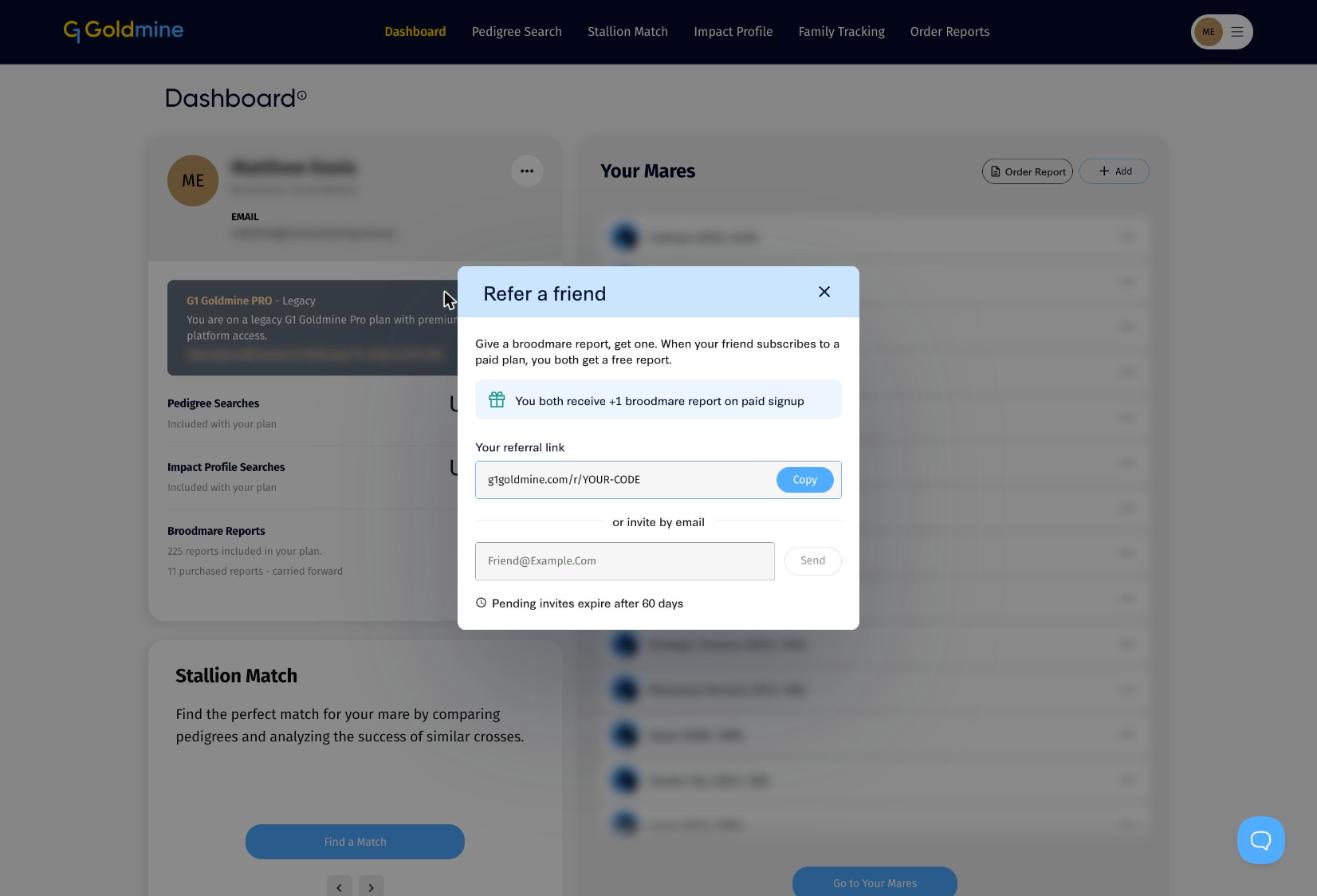
Give a Broodmare Report, get one. When a friend you refer makes their first purchase on G1 Goldmine, such as a paid membership or a Broodmare Report, you both receive a free Broodmare Report.
How it works
- Share your personal referral link, or invite your friend by email.
- Your friend signs up to G1 Goldmine and makes a purchase, such as a paid membership or a Broodmare Report.
- You each get one extra Broodmare Report added to your balance.
Finding your referral link
On your Dashboard, click the ... menu on your profile card and choose Refer a Friend.
Share your link
Click Copy next to Your referral link and send it however you like: text, email, WhatsApp or social media. Your link is personal to you and looks like g1goldmine.com/r/YOUR-CODE.
Invite by email
Type your friend's email address under or invite by email and click Send. We email them an invitation with your link. Pending invites expire after 60 days.
Using your free report
Your free report appears in your Broodmare Reports balance on the Dashboard. Use it like any other report: see How to Order a Broodmare Report on G1 Goldmine.
Good to know
- The reward is given when your friend makes a purchase. Registering for a free account or starting a free trial does not count on its own, but if your friend's trial moves to a paid membership, you both still get your free report.
- Your friend needs to sign up through your link or email invite so the referral is linked to you.
- There is no limit on how many friends you can refer.
See also Buying and Managing Broodmare Report Credits and Our Broodmare Analysis Report.