
Tracking Stallions, Mares and Dam Sires
G1 Goldmine lets you keep a list of the horses that matter to you: your mares, your favourite stallions and your favourite broodmare sires (dam sires). Once saved, they appear on your Dashboard and on the My Horses page, ready for a report, a search or a quick check of their numbers.
Where your horses appear
- Dashboard: the Your Mares, Your Favourite Stallions and Your Favourite Damsires panels. See The G1 Goldmine Dashboard.
- My Horses: the full lists, with tabs for My Mares, Favourite Stallions and Favourite Broodmare Sires. Open it with Go to Your Mares, Go to Your Stallions or Go to Your Dam Sires on the Dashboard.
Adding a horse
- Click Add on the Dashboard panel, or Add a Mare or Add a Stallion on the My Horses page.
- Start typing the horse's name and choose the right one from the list. Each result shows the country and year of birth so you can pick the correct horse.
- Click Submit.
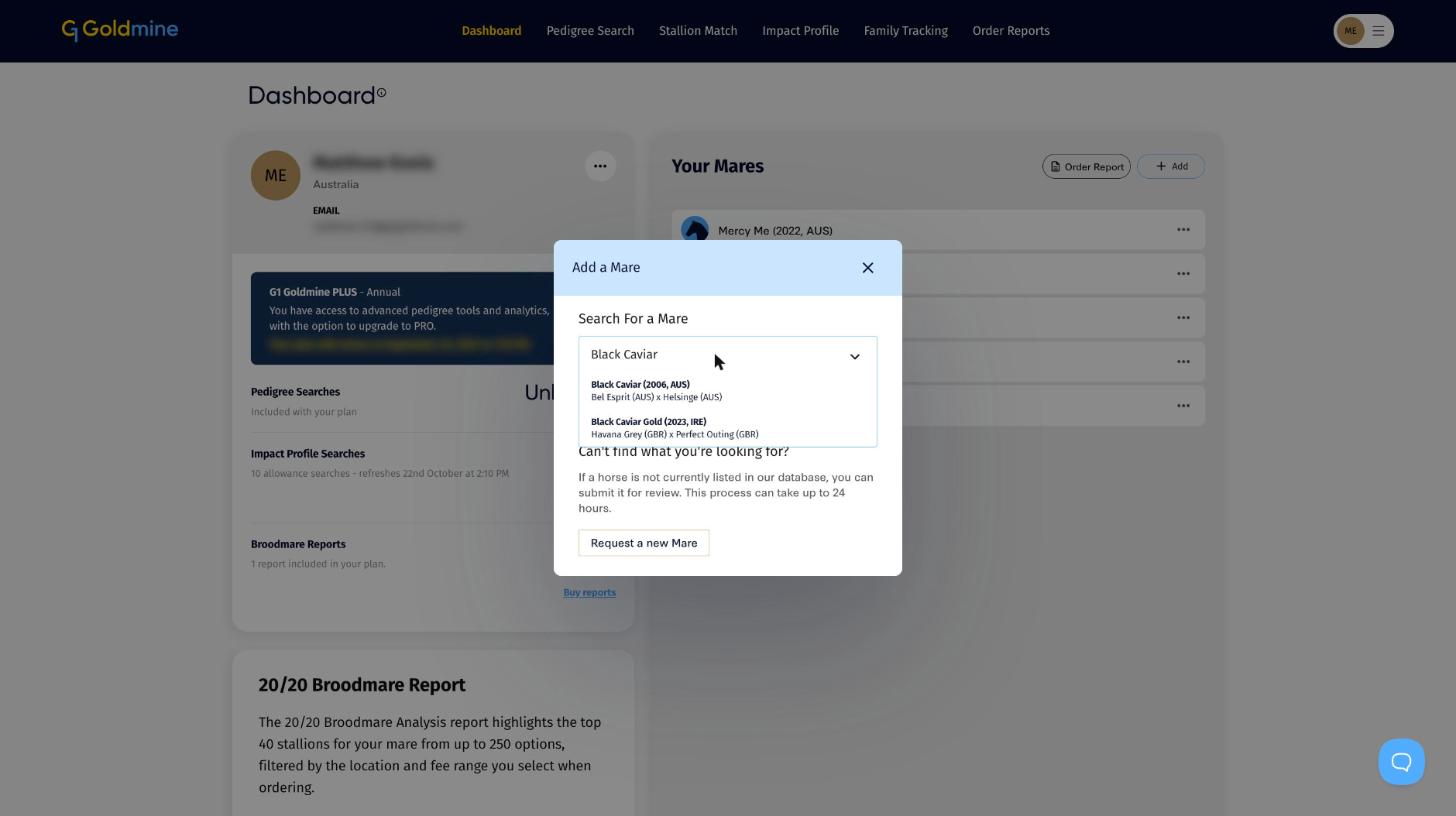
Can't find the horse? Click Request a new Mare to submit it for review. New horses can take up to 24 hours to be added.
You can also save a mare when you order a Broodmare Report, by ticking Add to My Mares in the Select a Broodmare window.
Your mares
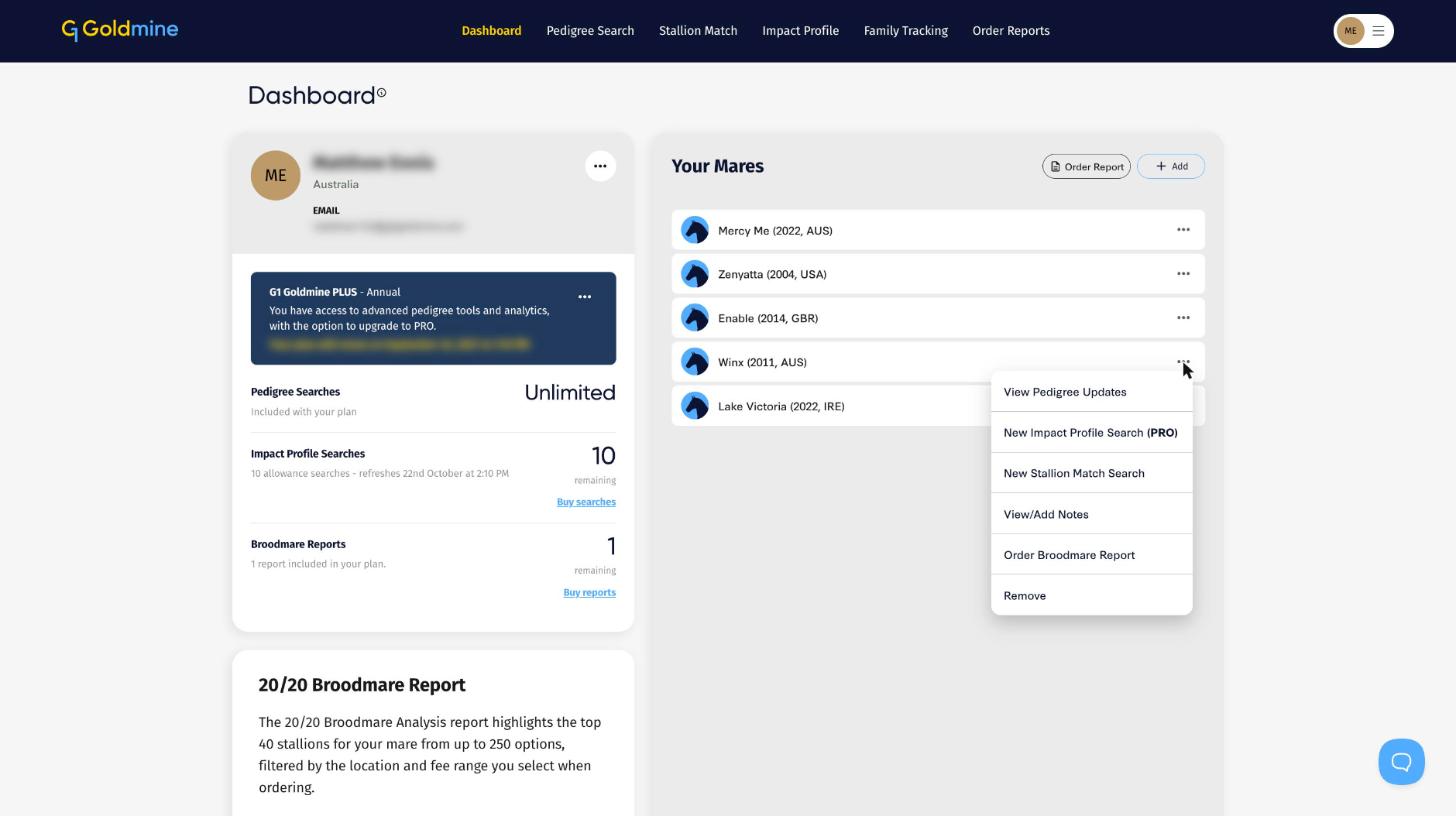
Click the ... menu beside any mare for:
- View Pedigree Updates: opens Family Tracking for her female family, showing the latest stakes winners. See Female Family Tracking Explained.
- New Impact Profile Search: start an Impact Profile with her as the dam.
- New Stallion Match Search: find the stallions that suit her. See Stallion Match Explained.
- View/Add Notes: keep your own notes on the mare.
- Order Broodmare Report: start a report with her already selected. See How to Order a Broodmare Report on G1 Goldmine.
- Remove: take her off your list.
Favourite stallions and dam sires
On the Dashboard, each favourite sire shows three figures from his progeny record:
- RNRS: runners.
- SW: stakes winners.
- SW/RNRS%: the stakes winners to runners strike rate. See Strike Rate.
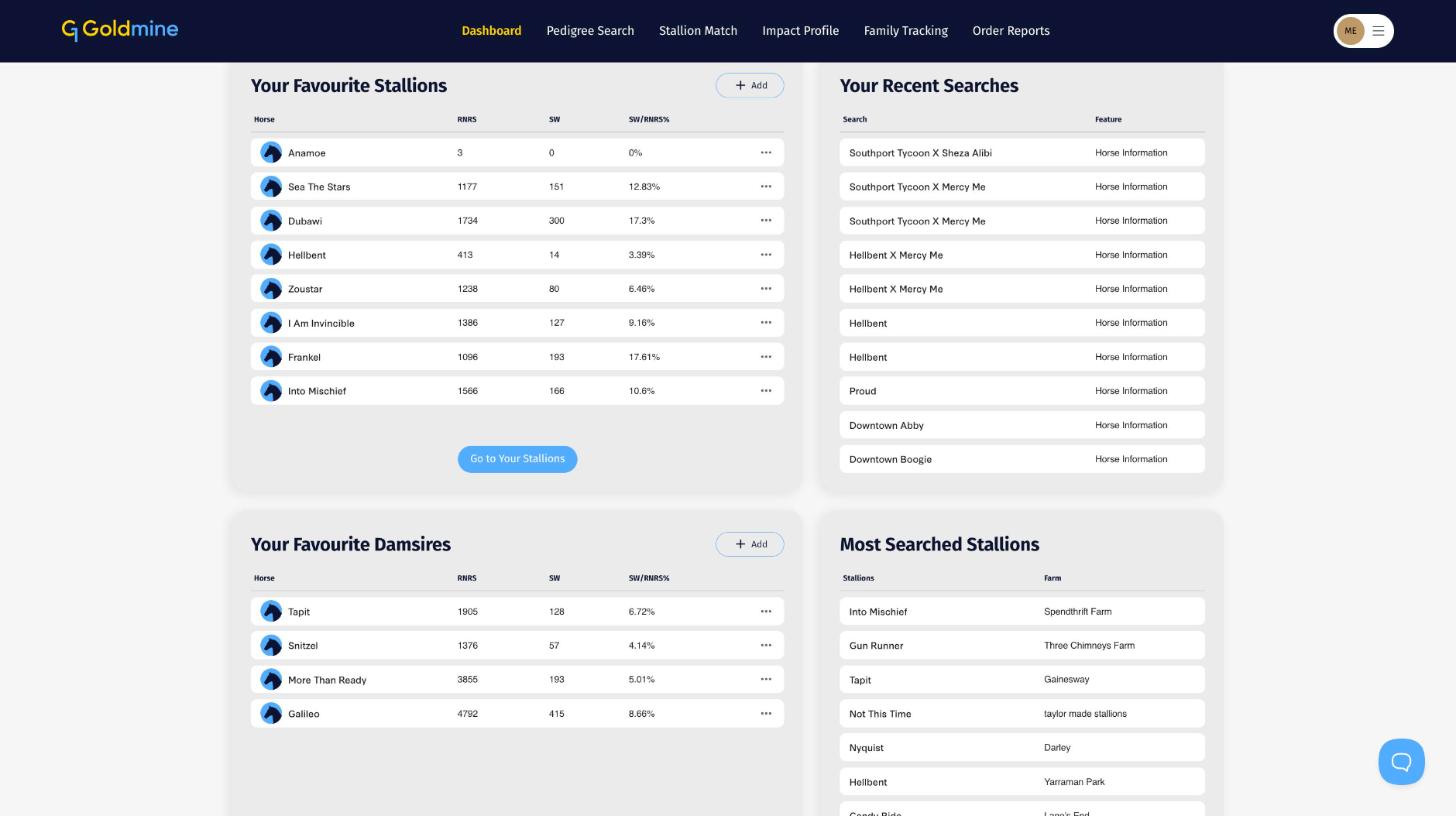
Click the ... menu beside any stallion for New Impact Profile Search, New Stallion Match Search or Remove.
Sorting your lists
On the My Horses page, use Sort by to order each list by Recently added, Name (A to Z) or Name (Z to A).